Track team certifications and qualifications without the spreadsheet mess - now also with the Kenjo mobile app! Know who’s learning what –and where things stand.
Get full visibility into your team’s development efforts, all at a single glance. And let employees know with notifications when it's time to renew certificates or when a new training has been assigned.
TABLE OF CONTENTS
- How employees can find a training
- How employees do the trainings on mobile
- How employees can end trainings without and with a required certificate
- Employees' notifications
How employees can find a training
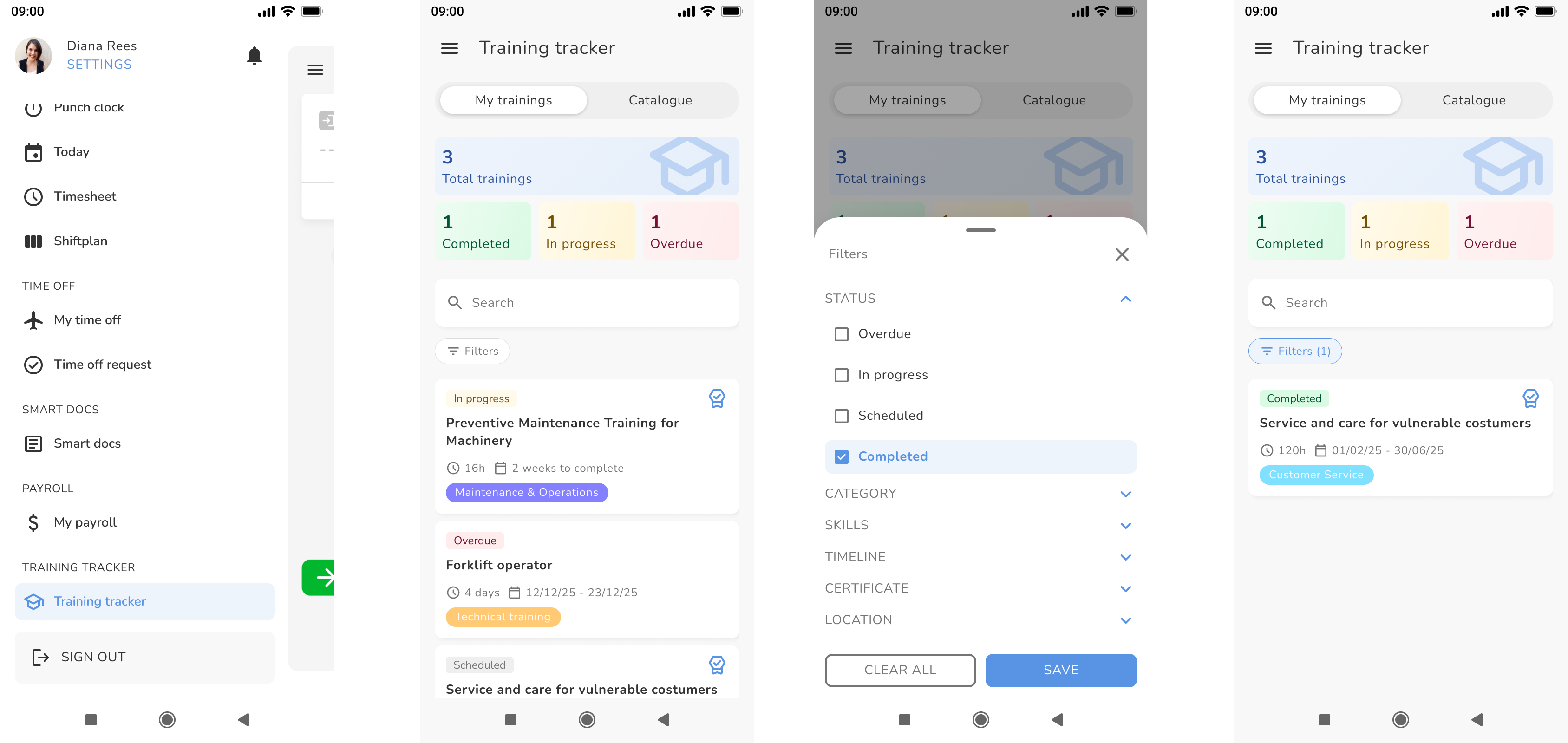
- Log into the Kenjo mobile app
- Go to Training Tracker
- Select the My trainings (Trainings that are already assigned to the employee) or Catalogue (all available trainings) tab
- Click on Filters below the Search bar to filter for trainings by status, category, skills and more or search for a training by name using the search bar
How employees do the trainings on mobile
- Select a training within the My trainings section
- Access all training documents - audio, documents, pdfs or ppts
How employees can end trainings without and with a required certificate
without certificate:
- Click on the respective training within the My trainings section
- Go to the Information tab
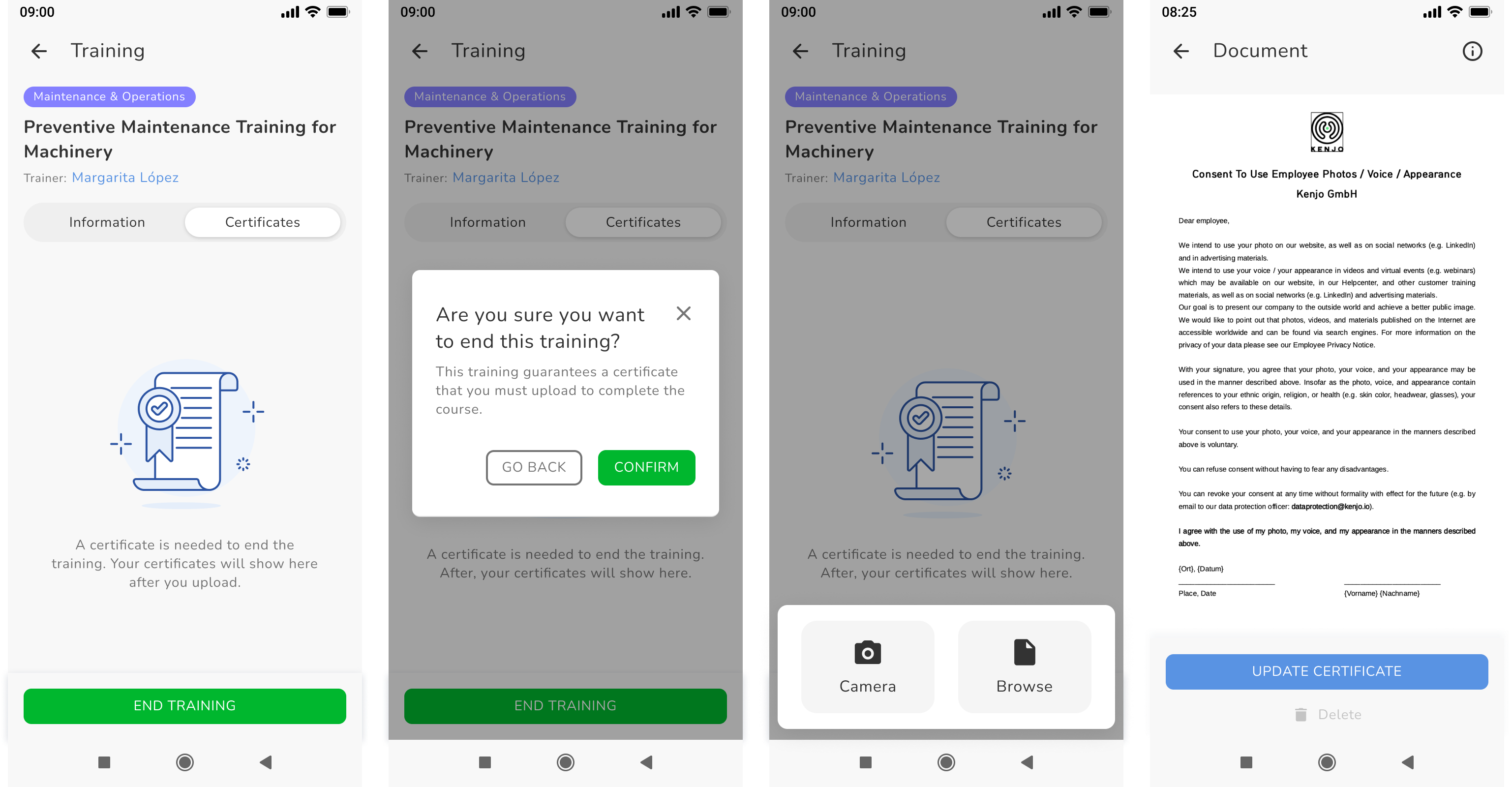
- Click END TRAINING at the bottom
with certificate:
- Click on the respective training within the My trainings section
- Go to the Certificates tab
- Click END TRAINING at the bottom
- Click CONFIRM
- Select uploading the certificate via camera or browsing
- Doublecheck the preview of the document
- Click UPDATE CERTIFICATE
Employees' notifications
Employees get a mobile notification when:
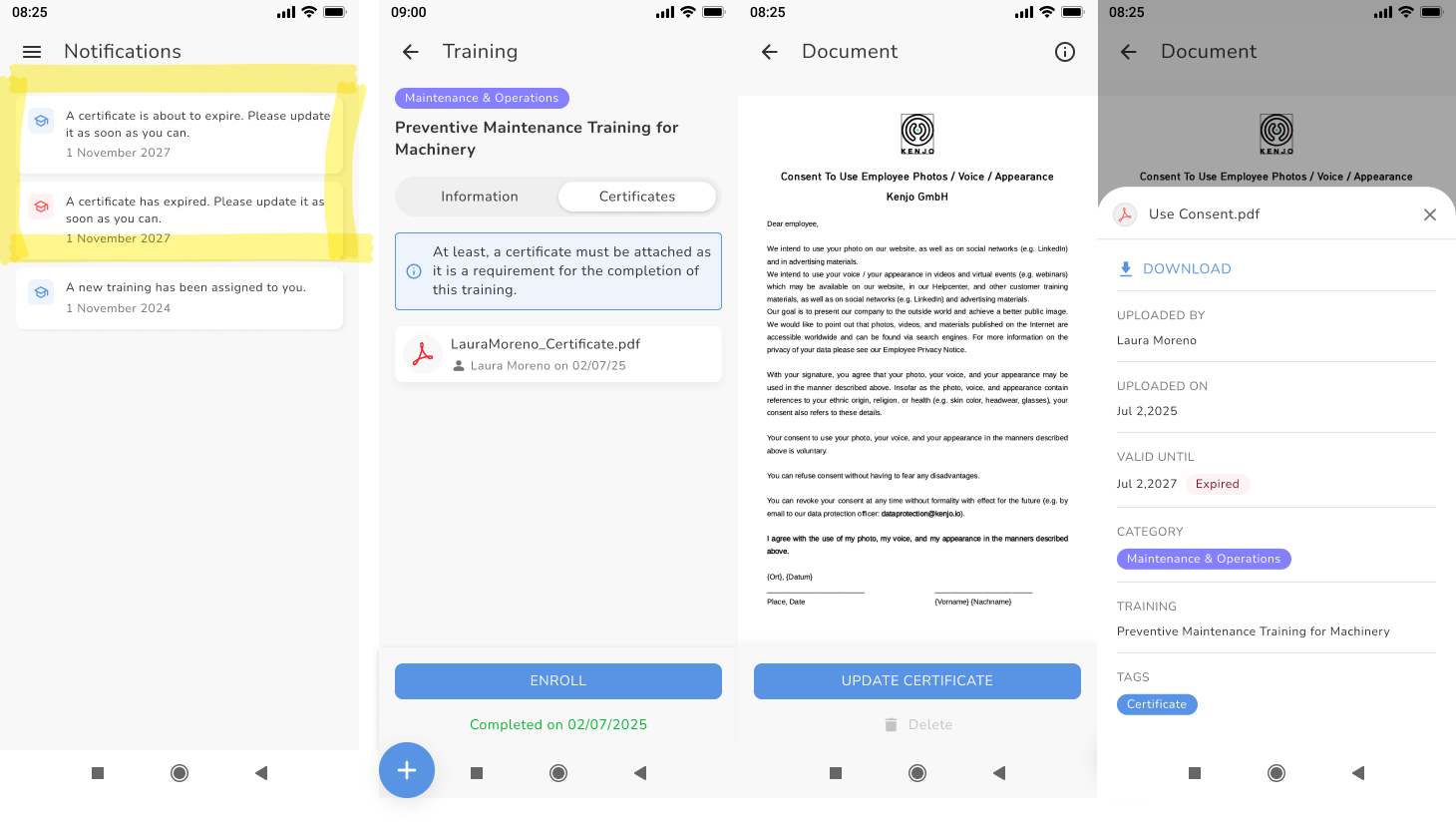
- certificates are about to expire or are expired
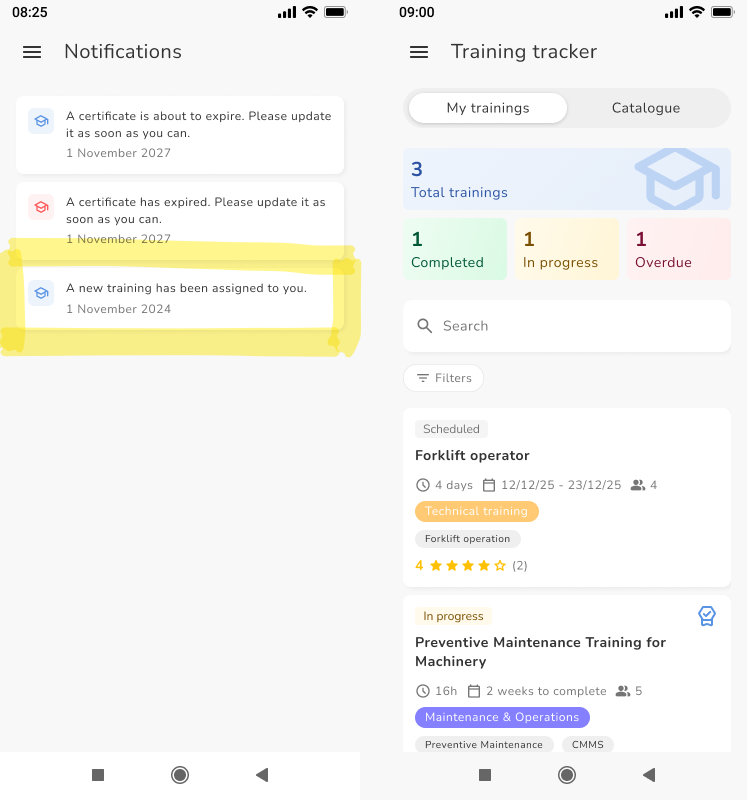
- when trainings are assigned to them
When a certificate is about to expire or has expired:
- Click on the notification
- Click ENROLL
- Select uploading the certificate via camera or browsing
- Doublecheck the certificate
- Click UPDATE CERTIFICATE
- View the details of the newly attached certificate
When a training is assigned to the employee:
- Click on the notification
- View the new training within My trainings tab
Was this article helpful?
That’s Great!
Thank you for your feedback
Sorry! We couldn't be helpful
Thank you for your feedback
Feedback sent
We appreciate your effort and will try to fix the article