When you miss the deadlines for sending your payroll to Deel, follow these steps to download the file and send it manually.
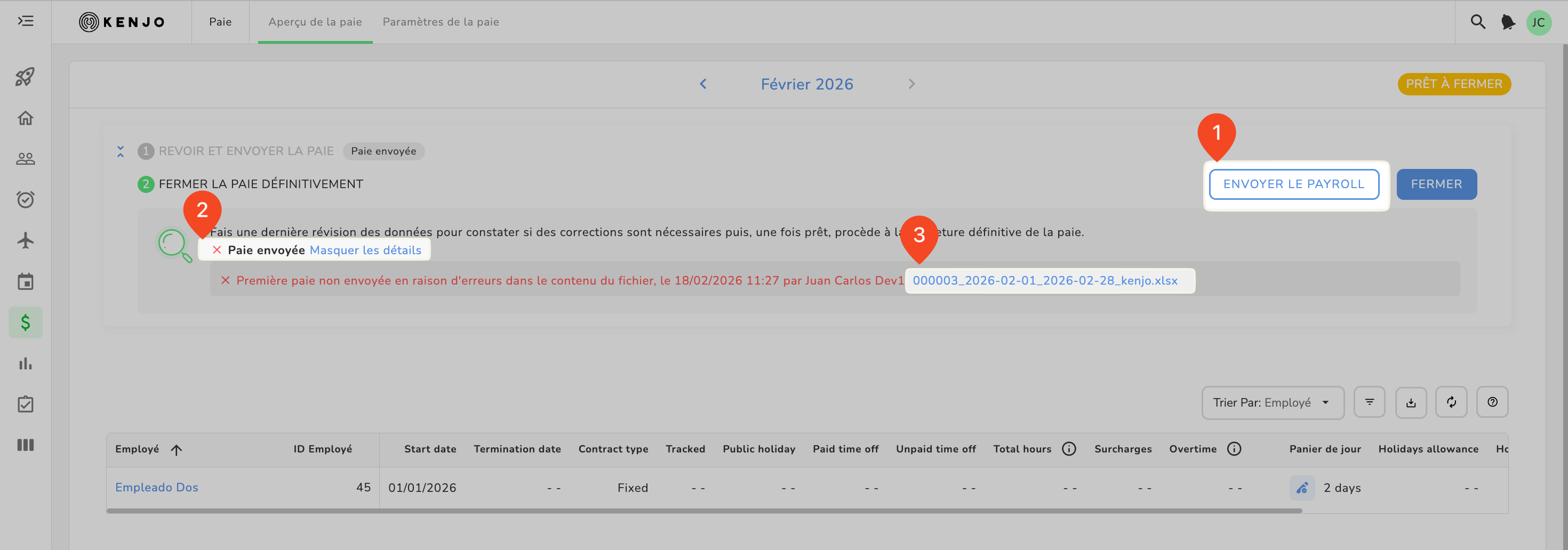
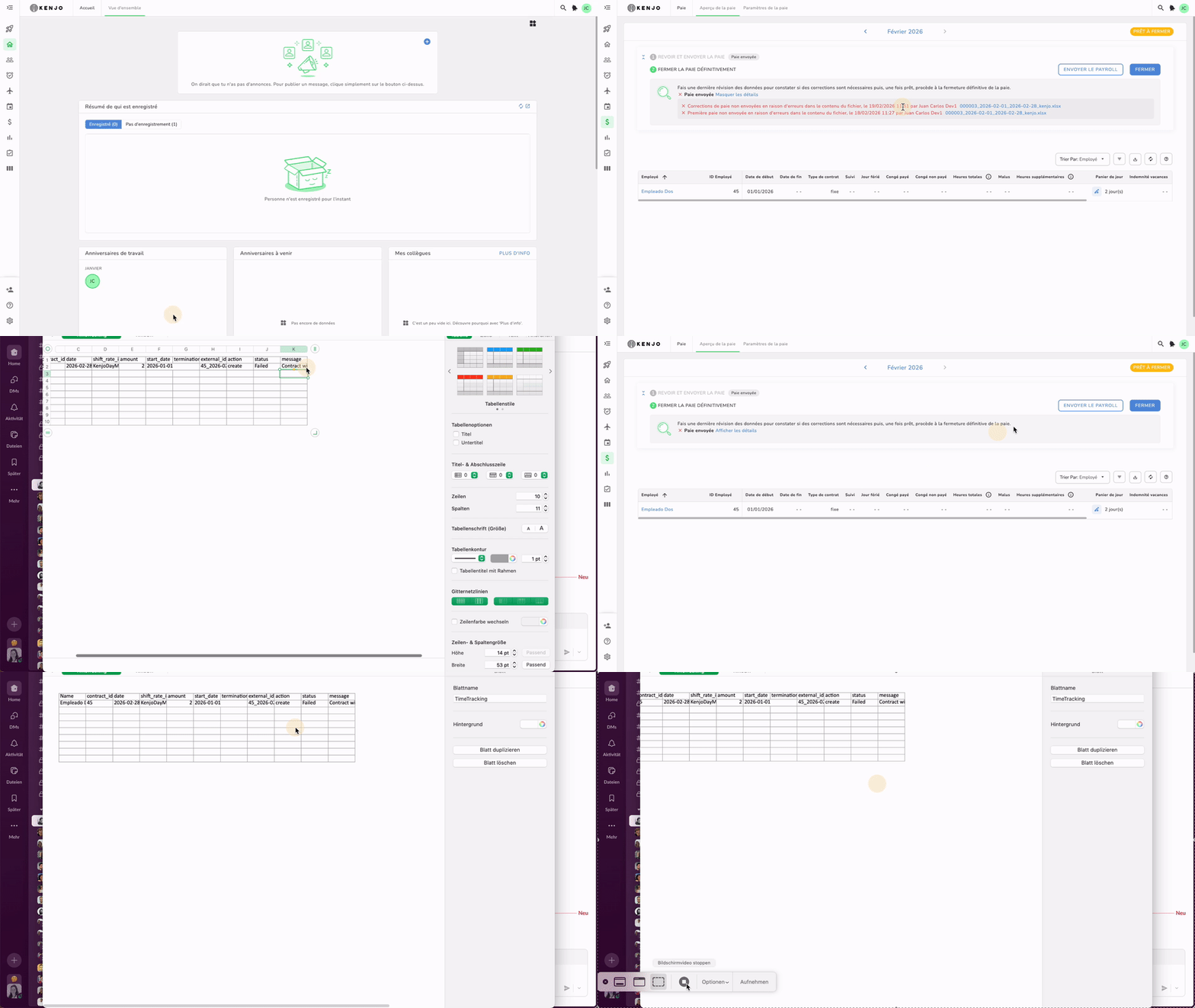
- Go to Payroll > Payroll Overview
- Click SEND PAYROLL
- You will see a small red x to the right of the magnifying glass with the text Payroll sent
- Click the link View details
- You will see another small red X with text
- Click the link ending in .xlsx to download the payroll as a file
At the moment the error messages are in English only. - Open the file
- Look for the status column and filter for failed
- The failed field indicates that for one or more or all employees it was not possible to send the payroll file to the provider
- An error message to the right of the status column will explain the reason for the failure. Depending on the error, take the respective step:
Check out this video to understand your to-dos
| Status Error message | What to do |
| Delayed submission is not allowed. Payroll cycle is already closed. | You are trying to submit this payroll after the last possible submission day. Simply send this file to Deel manually. |
| Invalid request body | The format of some of the content is incorrect. Make sure that you haven’t edited something in the file by accident. |
| data.shifts.0.external_id: String must contain at most 48 character(s) | Shift ID can't be longer than 48 characters. |
| data.shifts.0.summary.total_payable_hours: Number must be greater than 0 | For this employee Kenjo tries to send a wage type with 0 or negative value for this period, which is not possible. |
| Shift Rate not found | The shift rate/ wage type is missing on Deel. It needs to be created. |
| Contract with id XXXX not found | Contract ID can't be found. Either it is a wrong ID or it wasn't yet created in Deel. |
| Shift with external id XXXXX not found | Wage type data that was integrated before is not found. Data was deleted on Deel. |
| The following external IDs are not unique: XXXXXXXXXXXX | Wage type data for that period is already created. You need an update instead of creation. |
Was this article helpful?
That’s Great!
Thank you for your feedback
Sorry! We couldn't be helpful
Thank you for your feedback
Feedback sent
We appreciate your effort and will try to fix the article